
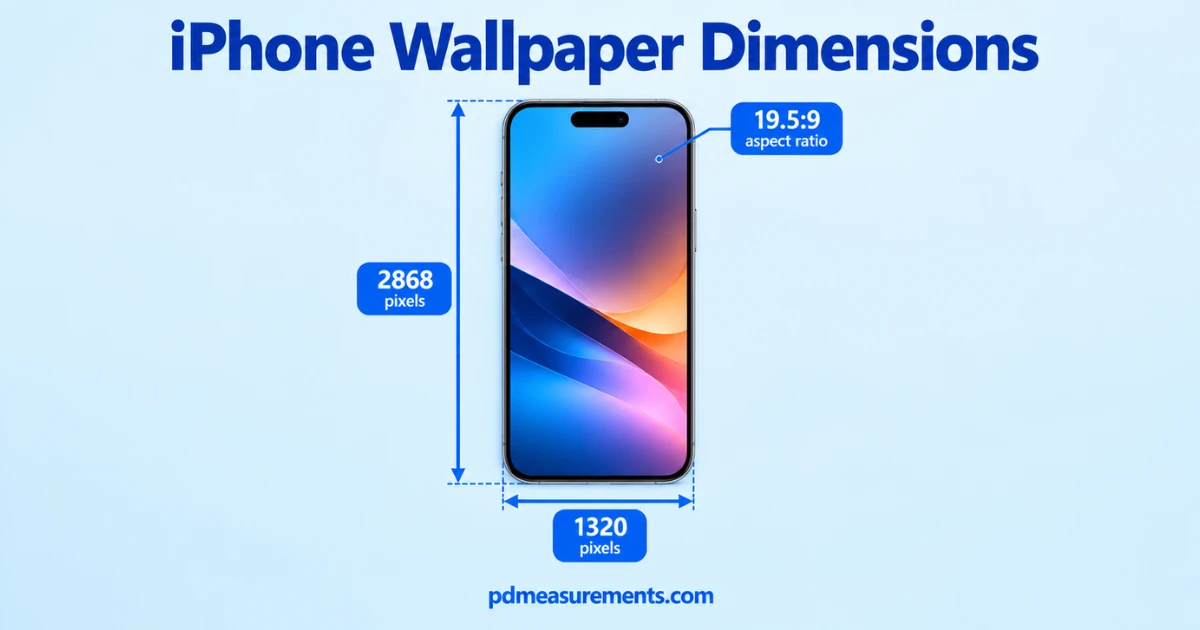
The main iPhone wallpaper dimensions depend on the model. For the iPhone 17 Pro Max, the exact wallpaper size is 1320 × 2868 pixels, with a 19.5:9 aspect ratio.
iPhone wallpaper dimensions change with every model. Get the size wrong, and you get pixelation, cropping, or stretching. This guide gives you exact numbers, fast fixes, and details most guides skip.
More Post: 75 Inch TV Dimensions: Width, Height, Depth & Screen Size Guide
iPhone Wallpaper Dimensions by Model
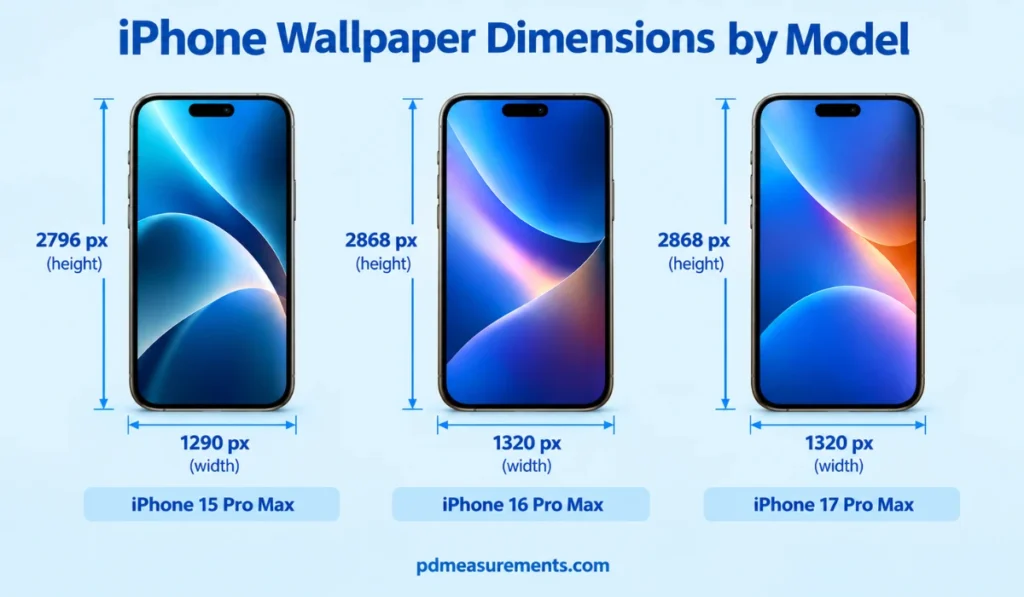
iPhone 17 Series Wallpaper Dimensions
iPhone 16 Series Wallpaper Dimensions
iPhone 15 Series Wallpaper Dimensions
iPhone 14 Series Wallpaper Dimensions
iPhone 13, 12, and 11 Series Wallpaper Dimensions
iPhone SE and Older Model Wallpaper Sizes
iPhone Screen Size vs. Wallpaper Resolution
Here’s something most guides gloss over: screen size in inches is not the same as pixel resolution.
Apple measures interface layout in “points,” then multiplies by a scale factor (@2x or @3x) to get actual pixels. That’s why a 6.1-inch screen can have very different pixel counts across models. Always design or download using the pixel dimensions, never the inch measurement.
iPhone Aspect Ratios Explained
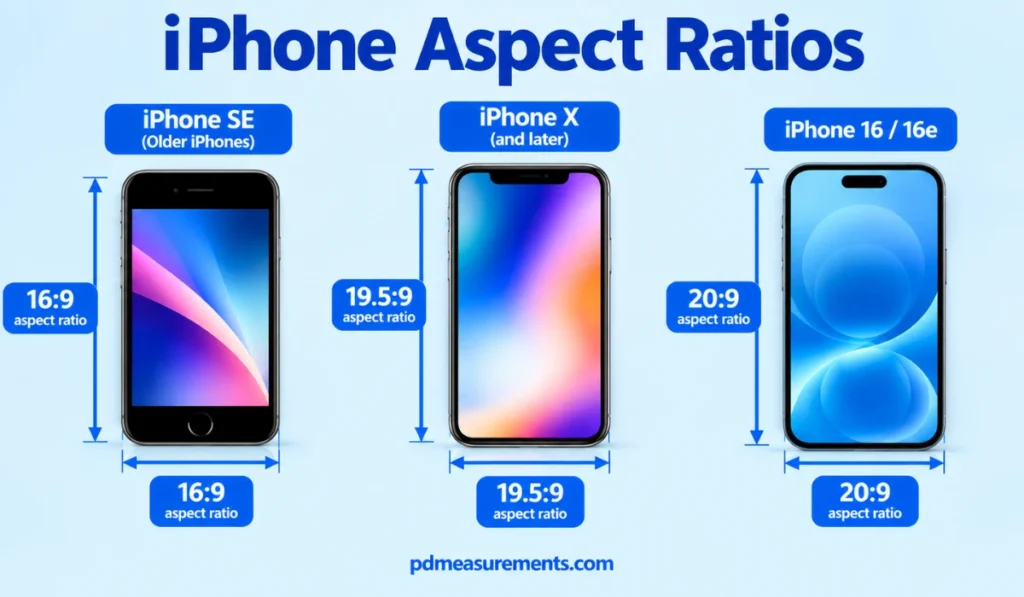
Older iPhones, including the iPhone SE, use a 16:9 aspect ratio. This is the same ratio as most HD TVs and laptops.
Since the iPhone X, Apple shifted to taller screens: 19.5:9, and now 20:9 on the iPhone 16 and 16e. Taller ratios mean portrait images fit better than landscape ones.
Perspective Zoom and Parallax: How iOS Crops Your Wallpaper
When Perspective Zoom is on, your wallpaper shifts slightly as you tilt your phone. iOS needs extra image area beyond the visible screen to make this work smoothly.
For tightly framed photos, using an image 10 to 15 percent larger than native resolution gives iOS room to move without cutting off important details. Turning Perspective Zoom off locks your framing exactly as set.
iPad and Mac Wallpaper Dimensions
FAQs About iPhone Wallpaper Dimensions
What ratio is an iPhone 16 wallpaper?
The iPhone 16 uses a 20:9 aspect ratio at 1179 × 2556 pixels. The iPhone 16 Pro Max uses a 19.5:9 ratio at 1320 × 2868 pixels.
How to resize a photo to fit an iPhone wallpaper?
Open the photo in Canva or Adobe Express, set the canvas to your model’s exact pixel dimensions, crop the subject to center, then export at high quality.
Is 4:3 or 16:9 better for iPhone photos?
Neither fits modern iPhones perfectly. 16:9 works mainly on older models like the iPhone SE; newer iPhones use a taller native ratio closer to 19.5:9 or 20:9.
What is the standard iPhone screen size?
There’s no single standard. iPhone screens range from 4.7 inches (iPhone SE) up to 6.9 inches (iPhone 16 Pro Max / iPhone 17 Pro Max), with resolution scaling accordingly.
Can I make 16:9 the default ratio in my iPhone camera?
Yes. Open the Camera app, go to Photo mode, tap the ratio icon, and select 16:9 (if supported). This affects photo capture, not the screen’s native display ratio.
Is the iPhone 16 and iPhone 16e the same size screen?
No. The iPhone 16 has a 6.1-inch display at 1179 × 2556 pixels (20:9), while the iPhone 16e is also 6.1 inches but uses 1170 × 2532 pixels, giving it a slightly different resolution.

Rehmaan Khan is a Measurement Content Researcher Specializing in PD measurements, Size Guides, Charts, and Simple Educational Measurement Content.